CapCut
All-in-one free video editor for PC & Mobile

Safe & Secure
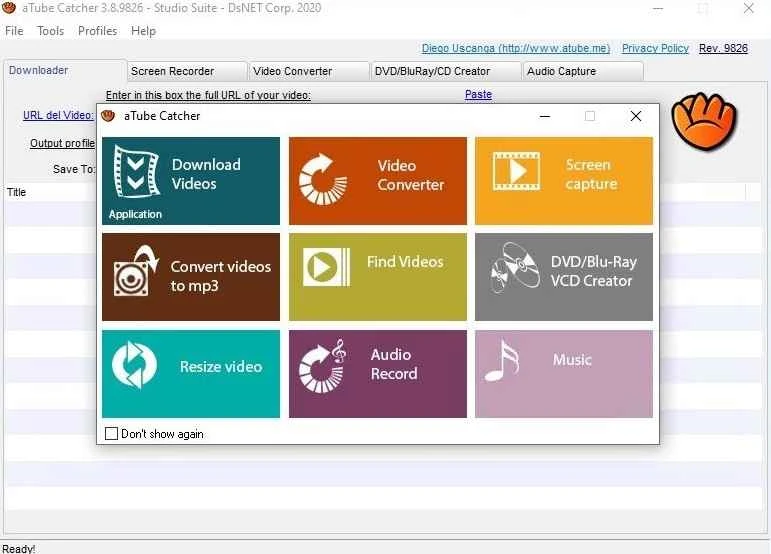


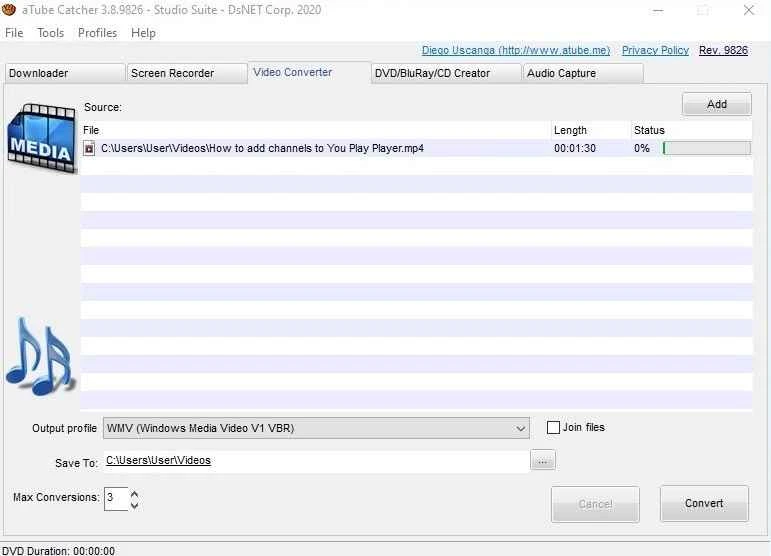


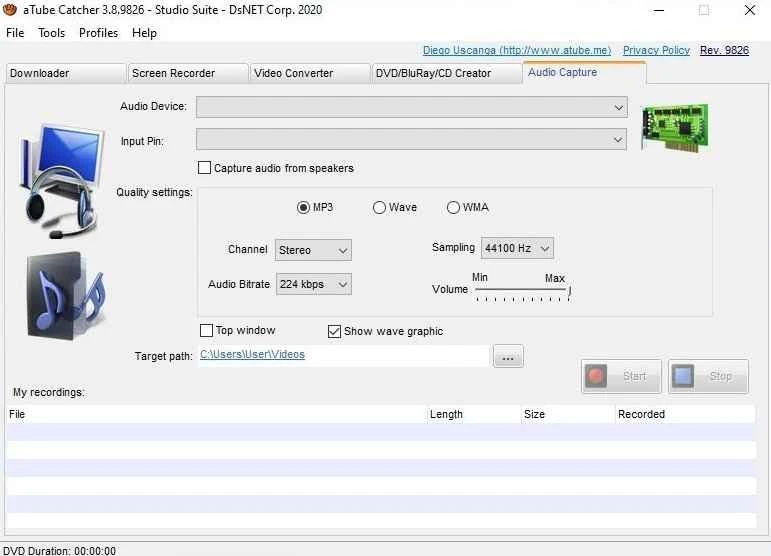
aTube Catcher is a comprehensive video downloader that supports multiple video-sharing websites and social media platforms, allowing users to download videos hassle-free. The freeware utility enables you to save, share, edit, and watch your favorite videos, even if you are offline. It is also possible to download the videos in the format and resolution you want.
The versatile app with flexibility of formats and resolution also enables users to extract audio from the videos, record your screen, burn content on a CD-ROM, and so on. The app with all-in-one file conversion and recording capabilities proves the best solution among similar utilities.
aTube Catcher, developed by Diego Uscanga under the Audio & Multimedia category, and published by DsNET Corp, is a freeware Windows application. It is an all-in-one tool to capture, convert, and organize online media, allowing users to use it even without an internet connection.
The app proves the best choice for everyday media management within an approachable interface and broad compatibility for huge social media platforms, including YouTube, Facebook, TikTok, Vimeo, and so on.
It is one of the core features, allowing users to download their desired videos intuitively, as it offers a complete tutorial to instruct how to use the innovative app. You need only to use the URL of your favorite videos, or simply paste the magnet link in the dedicated field. The support for clipboard monitoring and link capturing makes everything simple and easy, offering an effortless downloading process, even entire playlists, and saving all downloaded content in the Media Library. You are also capable of casting and sharing your downloaded content on other devices as well.
The app offers a built-in converter for the ease of users to convert a plethora of formats according to their preferences. You will find multiple supported formats, including WAV, WMA, WMV, AVI, XVID, FLAC, PSP, MP2, MP4, MPG, MOV, 3GP, 3G2, and MKV. So, exporting a video into multiple formats is possible, such as converting video files to MP3 in batch mode, resizing, cutting, or trimming the videos according to your requirements. In this way, you can easily manage commercials, join files, or split them into multiple fragments.
A lightweight utility with only 20MB size proves a compact solution for desktops and laptops. It works as a multi-processing platform, such as a screen recorder, video trimmer, and audio extractor. It makes maintaining media files simple and fast, as you can capture the screen activity, even with audio, to create tutorials, gameplay videos, and so on.
The app is compatible with all types of Windows versions, including Windows XP, Windows Vista, Windows 7, Windows 10, and Windows 11 as well. You can run it smoothly on an x86 or compatible processor. Moreover, you will find batch video downloading by simply setting multiple files in a queue and starting the process, leaving the app to work in the background.
Beyond format conversion, it also offers seamless disc burning, allowing you to burn to a DVD or CD, but only for a desktop that is capable of the process. It not only creates DVD, VCD, or AVCHD/Blu-ray discs right from video files, but also helps to resize video size. The clear dashboard is neatly organized, with all functions giving quick access to the entire functionality.
While the app doesn’t have a full-fledged video editor, it is embedded with all basic editing functionality, including cutting, merging, adding subtitles, and so on. Moreover, you can schedule downloads and conversions to download at a specific time. It helps to manage your bandwidth usage and manage downloads for spare time.
The straightforward user interface with easy-to-navigate capability makes everything cool and smart, as the main screen is divided into multiple sections, including download, conversion, screen recording, and so on. Compared to other modern similar utilities, the app has an outdated layout, but offers intuitive functionality.
You will find the fastest performance within comprehensive features, as it helps to create a huge media collection, allowing you to watch your favorite visual content without using an internet connection. However, the delivery of advertisements can disrupt your workflow, and it also has multiple stability issues after updates.
Pros
Cons

All-in-one free video editor for PC & Mobile

Get optimized converted multimedia files with Format Factory

Green Convert is a free video converter to offers a quick conversion and editing videos with support for limitless formats

Free Cam, capture, record, and edit videos to upload directly on YouTube

VLC supports multiple audio/video formats to play your multimedia.

Streamlabs OBS is a offer you online and offline broadcasting.